
Jetson Linux Setup and Flashing After the Build
In this article, we will apply basic configurations to the rootfs before installing it on the SoC Xavier NX
Go to the Linux_for_Tegra directory and execute the l4t_create_default_user.sh script
with the following parameters using sudo:
sudo ./l4t_create_default_user.sh -u nvuser -p 1 -a
where:
-u --username
-p --password
-a -- autologin
Set up network configuration. In our case, two Ethernet interfaces are used, so we’ll create a configuration file for each one.
In this version of Jetson Linux, Ethernet initialization is handled by networking.service,
so we need to create the files eth0 and eth1 in the directory /etc/network/interfaces.d
Run the command:
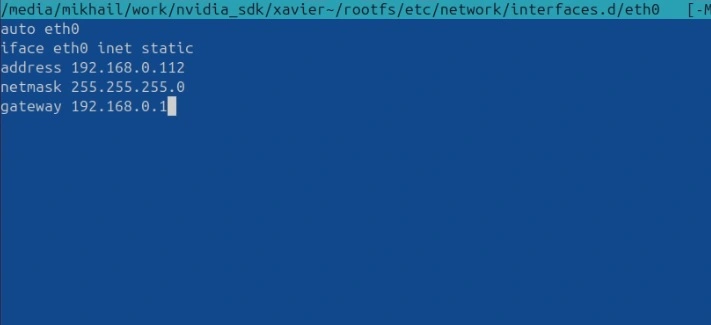
sudo mcedit /Linux_for_Tegra/rootfs/etc/network/interfaces.d/eth0
and enter the following network settings:
auto eth0
iface eth0 inet static
address 192.168.0.112
netmask 255.255.255.0
gateway 192.168.0.1
Do the same for eth1:
sudo mcedit /Linux_for_Tegra/rootfs/etc/network/interfaces.d/eth1
auto eth1
iface eth1 inet static
address 192.168.0.113
netmask 255.255.255.0
gateway 192.168.0.1
Now flash Jetson Linux onto the Xavier NX SoM.
This is done with the following command from the /Linux_for_Tegra/ directory:
sudo ./flash.sh p3449-0000+p3668-0001-qspi-emmc mmcblk0p1
Where:
p3449-0000+p3668-0001-qspi-emmc identifier and configuration for Xavier NX
p3449-0000 Jetson Xavier NX Dev Kit carrier board
p3668-0001 Jetson Xavier NX module
qspi-emmc indicates that the bootloader is stored in the onboard QSPI Flash and the root filesystem will be installed on eMMC
mmcblk0p1 device where the root filesystem will be installed
After the flashing process is complete, try connecting to the board via SSH:
ssh [email protected]
password: 1
After logging in, you can proceed to configure Jetson Linux as needed.
You can find the rootfs build process in the previous article