
Building Jetson Linux r36.4.4 for the Orin NX Module
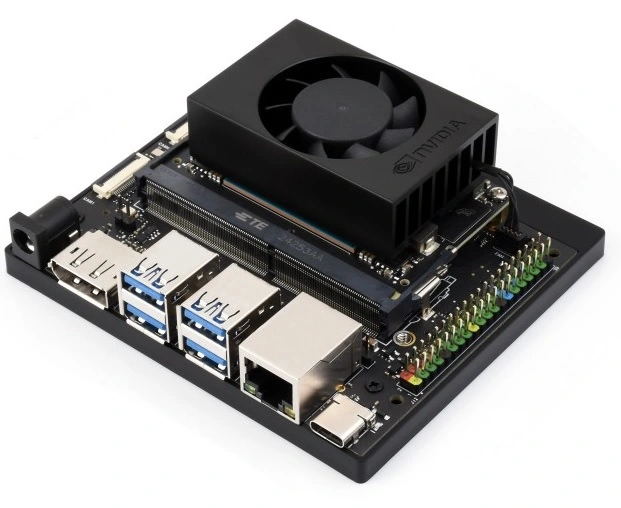
This article provides a detailed description of how to build Jetson Linux r36.4.4 for the Orin NX module.
The build was performed on Ubuntu 24.04.
Download the following files from the NVIDIA website:
1. L4T Driver Package (BSP):
Jetson_Linux_R36.4.4_aarch64.tbz2
Download link:
https://developer.nvidia.com/downloads/embedded/l4t/r36_release_v4.4/release/Jetson_Linux_r36.4.4_aarch64.tbz2
2. Driver Package (BSP) Sources:
public_sources.tbz2
Download link:
https://developer.nvidia.com/downloads/embedded/l4t/r36_release_v4.4/sources/public_sources.tbz2
3. Sample Root Filesystem:
Tegra_Linux_Sample-Root-Filesystem_R36.4.4_aarch64.tbz2
Download link:
https://developer.nvidia.com/downloads/embedded/l4t/r36_release_v4.4/release/Tegra_Linux_Sample-Root-Filesystem_r36.4.4_aarch64.tbz2
4. GCC 11.3 for 64-bit BSP and Kernel:
aarch64--glibc--stable-2022.08-1.tar.bz2
Download link:
https://developer.nvidia.com/downloads/embedded/l4t/r36_release_v3.0/toolchain/aarch64--glibc--stable-2022.08-1.tar.bz2

In this example, the base directory is:
/home/mikhail/nvidia_sdk/orin_r36.4.4
All following steps are performed inside this directory.
Build Process:
1) Export the environment variable
export TOP_DIR=/home/mikhail/nvidia_sdk/orin_r36.4.4
2) Create directories
mkdir $TOP_DIR/kernel_out -p
mkdir $TOP_DIR/kernel_sources
3) Copy all downloaded files into $TOP_DIR
4) Extract the archives
sudo tar -xjpf Jetson_Linux_R36.4.4_aarch64.tbz2
sudo tar -xvjf aarch64--glibc--stable-2022.08-1.tar.bz2
5) Export environment variables
export L4T_DIR=$TOP_DIR/Linux_for_Tegra
export LDK_ROOTFS_DIR=$TOP_DIR/Linux_for_Tegra/rootfs
export ARCH=arm64
export CROSS_COMPILE=/media/mikhail/nvidia_sdk/orin_r36.4.4/aarch64--glibc--stable-2022.08-1/bin/aarch64-buildroot-linux-gnu-
export TEGRA_KERNEL_OUT=$TOP_DIR/kernel_out
export LOCALVERSION=-tegra
export NVIDIA_SRC=$TOP_DIR/kernel_sources/Linux_for_Tegra/source/
export KERNEL_HEADERS=/media/mikhail/nvidia_sdk/orin_r36.4.4/kernel_sources/Linux_for_Tegra/source/kernel/kernel-jammy-src
6) Extract the sample root filesystem into $LDK_ROOTFS_DIR
cd $LDK_ROOTFS_DIR
sudo tar -xjpf $TOP_DIR/Tegra_Linux_Sample-Root-Filesystem_R36.4.4_aarch64.tbz2
7) Add binary drivers to the rootfs
cd $L4T_DIR
sudo ./apply_binaries.sh
8) Extract public_sources.tbz2
cd $TOP_DIR/kernel_sources
tar -xjpf $TOP_DIR/public_sources.tbz2
9) Extract kernel source archives
cd $NVIDIA_SRC
tar -xjpf kernel_src.tbz2
tar xf kernel_oot_modules_src.tbz2
tar xf nvidia_kernel_display_driver_source.tbz2
10) Build in the following order
cd $KERNEL_HEADERS
make ARCH=arm64 O=$TEGRA_KERNEL_OUT tegra_prod_defconfig
make ARCH=arm64 O=$TEGRA_KERNEL_OUT Image -j4
make ARCH=arm64 O=$TEGRA_KERNEL_OUT modules -j4
make ARCH=arm64 O=$TEGRA_KERNEL_OUT dtbs
11) Install the compiled modules into the rootfs
sudo make ARCH=arm64 O=$TEGRA_KERNEL_OUT modules_install INSTALL_MOD_PATH=$LDK_ROOTFS_DIR
As a result, the compiled kernel and modules appear in:
$TEGRA_KERNEL_OUT
The ready-to-flash system build resides in:
$L4T_DIR
We also design custom carrier boards for Jetson Orin NX / Jetson AGX Orin / Jetson Nano and Nano Super.